
In pilotPoint of sale for WooCommerce, made in Ontario
The register that runs on your website.
Kart turns an iPad or any browser into a full point of sale. Same products, stock and customers as your WooCommerce store, with loyalty built in, and it keeps selling when the internet drops.

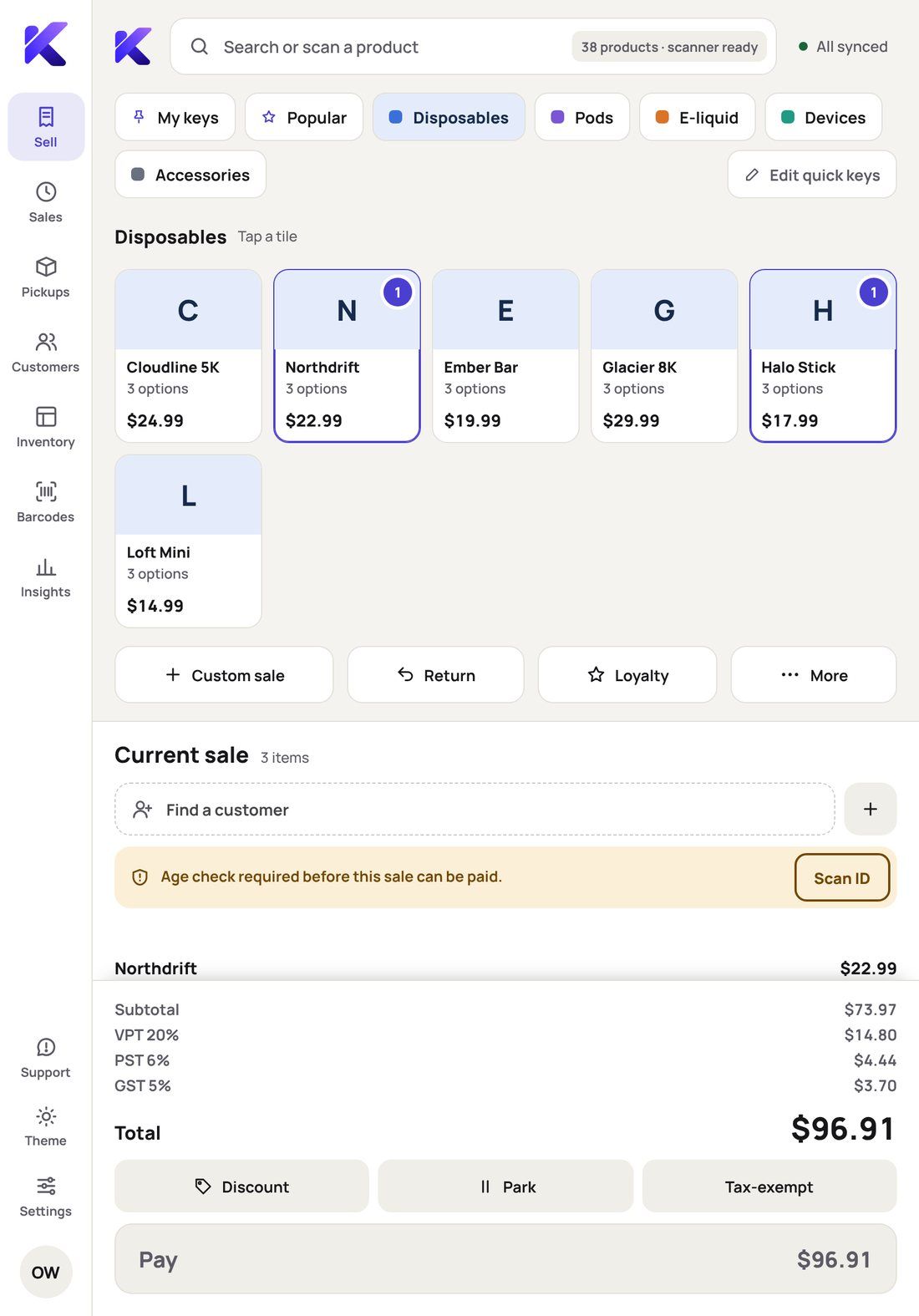
The real Kart Register: a member on the sale, ID checked, points earned, ready to pay.
One catalogue, one stock count
WooCommerce is the database. A web order and a counter sale come off the same shelf.
Sells with no Wi-Fi
Sales, returns and receipts carry on, and send themselves once you’re back online.
ID only when it’s needed
Age checks follow what’s in the cart. Nothing from the licence is kept.
Built for Canada
Provincial and vape taxes, status-card exemptions and 5¢ cash rounding.
At the counter
A sale in four taps, not forty.
Staff tap their name and PIN, tap quick keys or scan, and Kart handles the rules: who needs ID, which tax applies, what the customer earns.
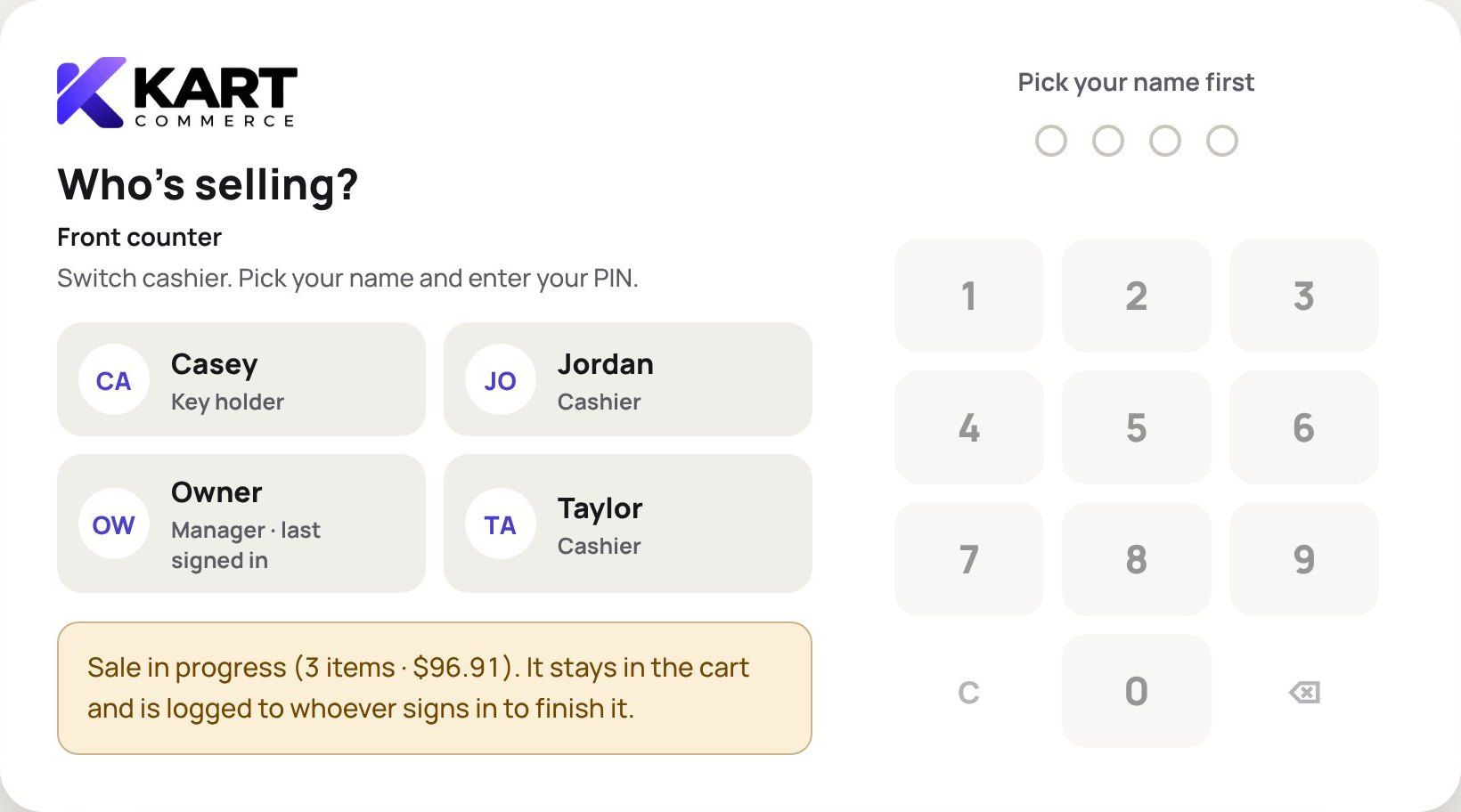
1 · Who’s selling? Every sale is credited to the right person.
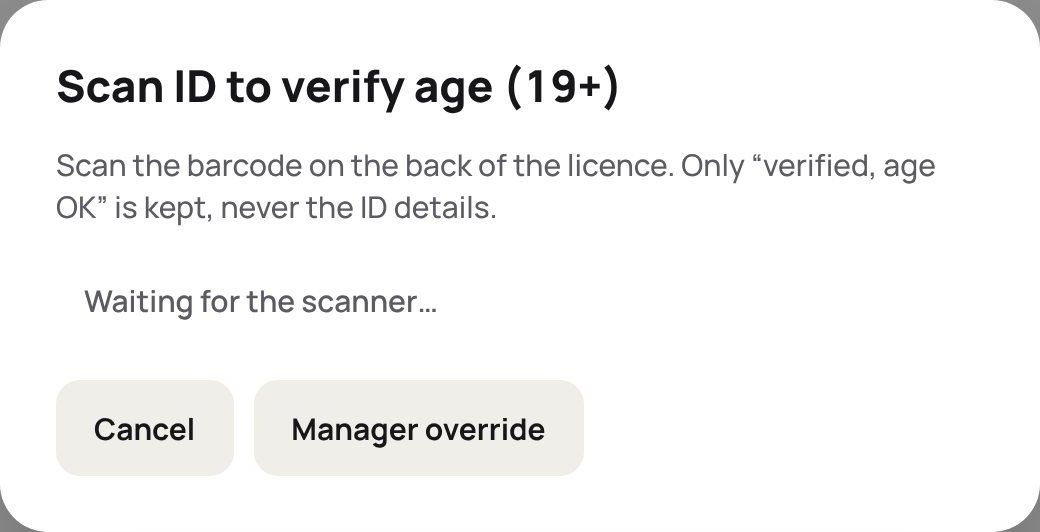
2 · Scan the licence Only when the cart needs it. Overrides are logged.
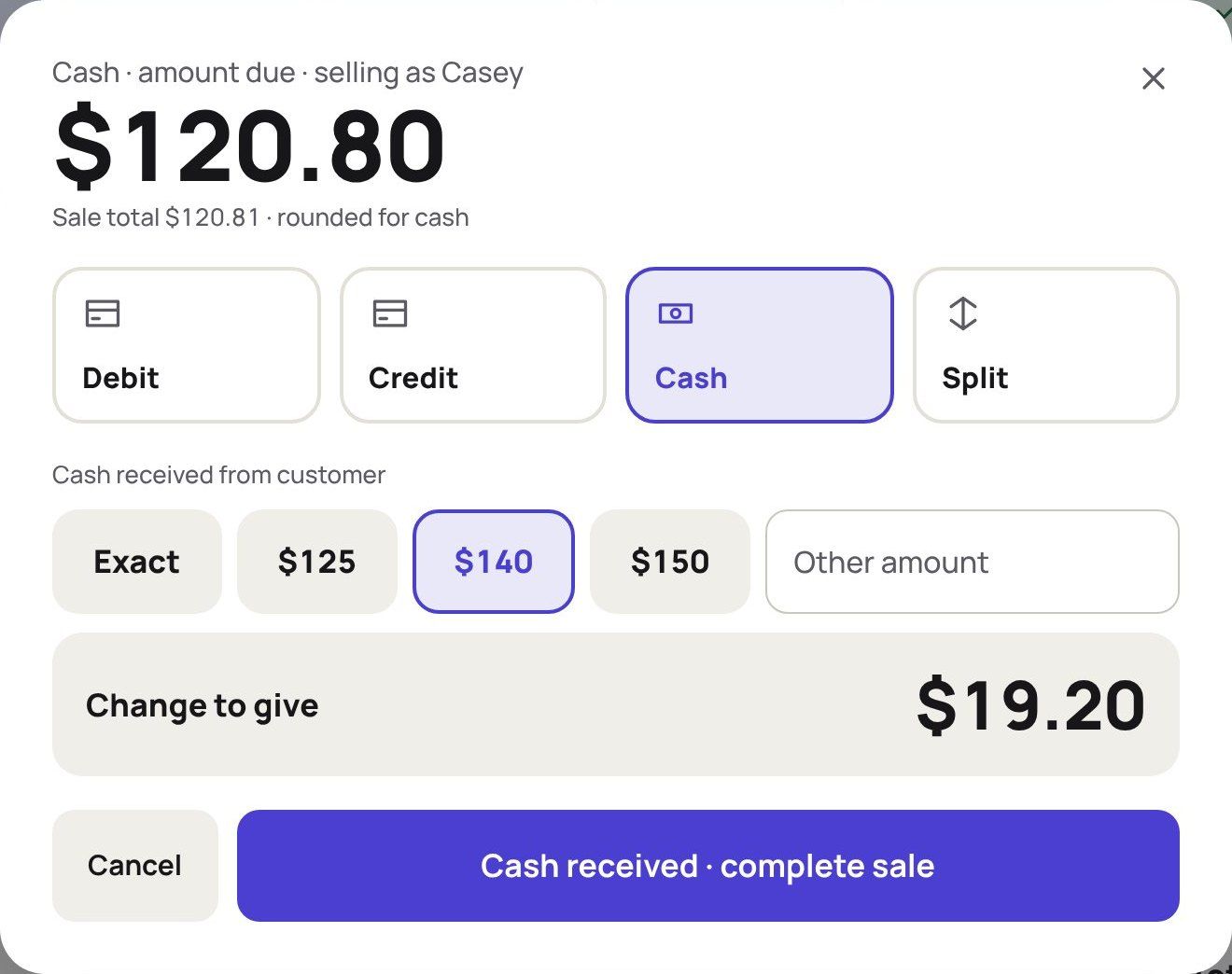
3 · Take payment Debit, credit, cash or split. Change worked out for you.
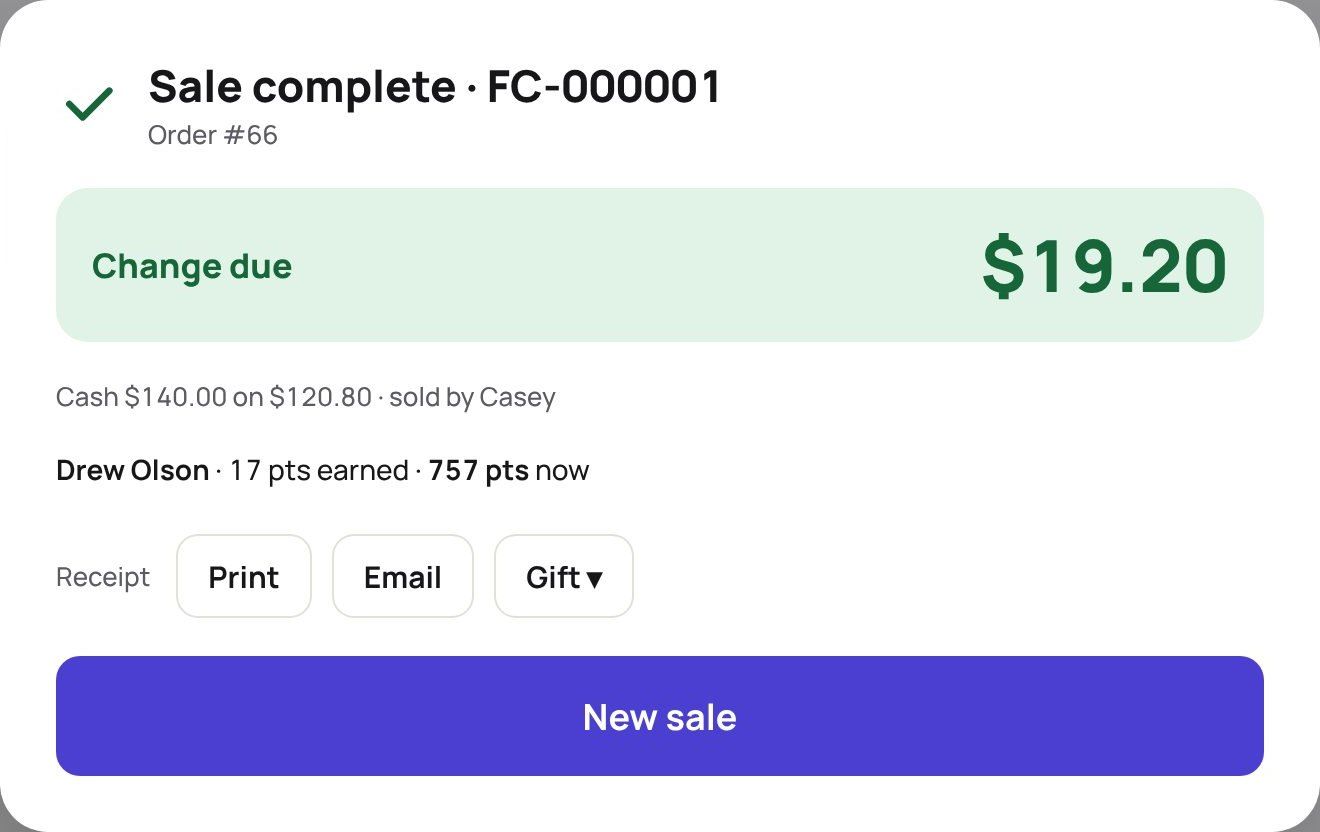
4 · Done Print, email or gift receipt. Points land on the balance.
One app
Everything behind the counter.
The register and the back office live in the same screen. Owners and managers never need WordPress to run the store.
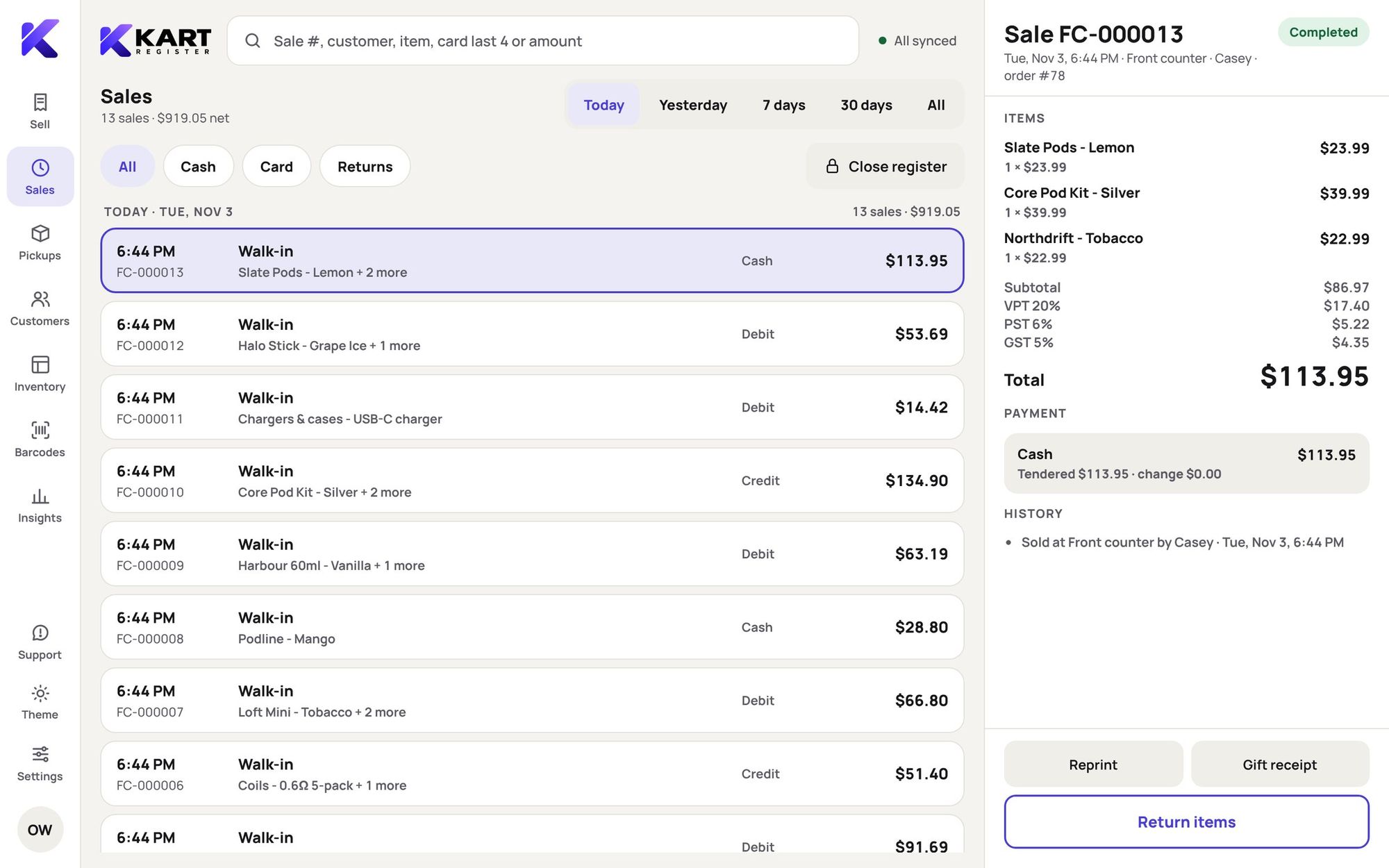
Kart Register
Quick keys like Square, scanning, split payments, parked sales, exchanges and returns on any past sale. Every sale ever made at the till is one search away.
- Returns, exchanges, store credit
- Custom and open-price items
- Item discounts with approvals
- Paid in, paid out, safe drops
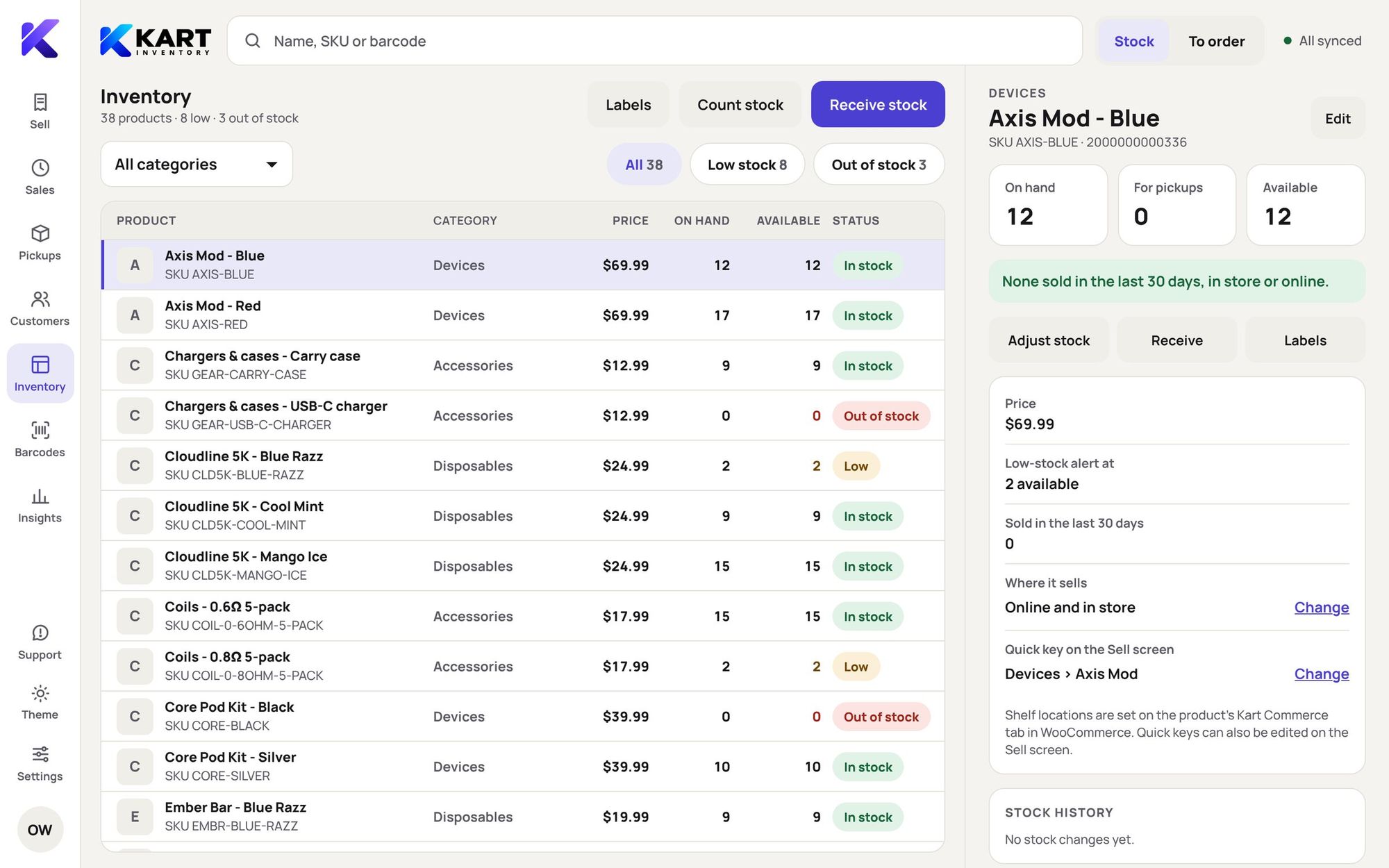
Kart Inventory
Receive stock, count shelves by scanning, and add new products from the register with names that follow your own patterns. Stock is the same number your website shows.
- Purchase orders and reorder list
- Stock counts by scanning
- Barcodes and price labels
- In-store-only products
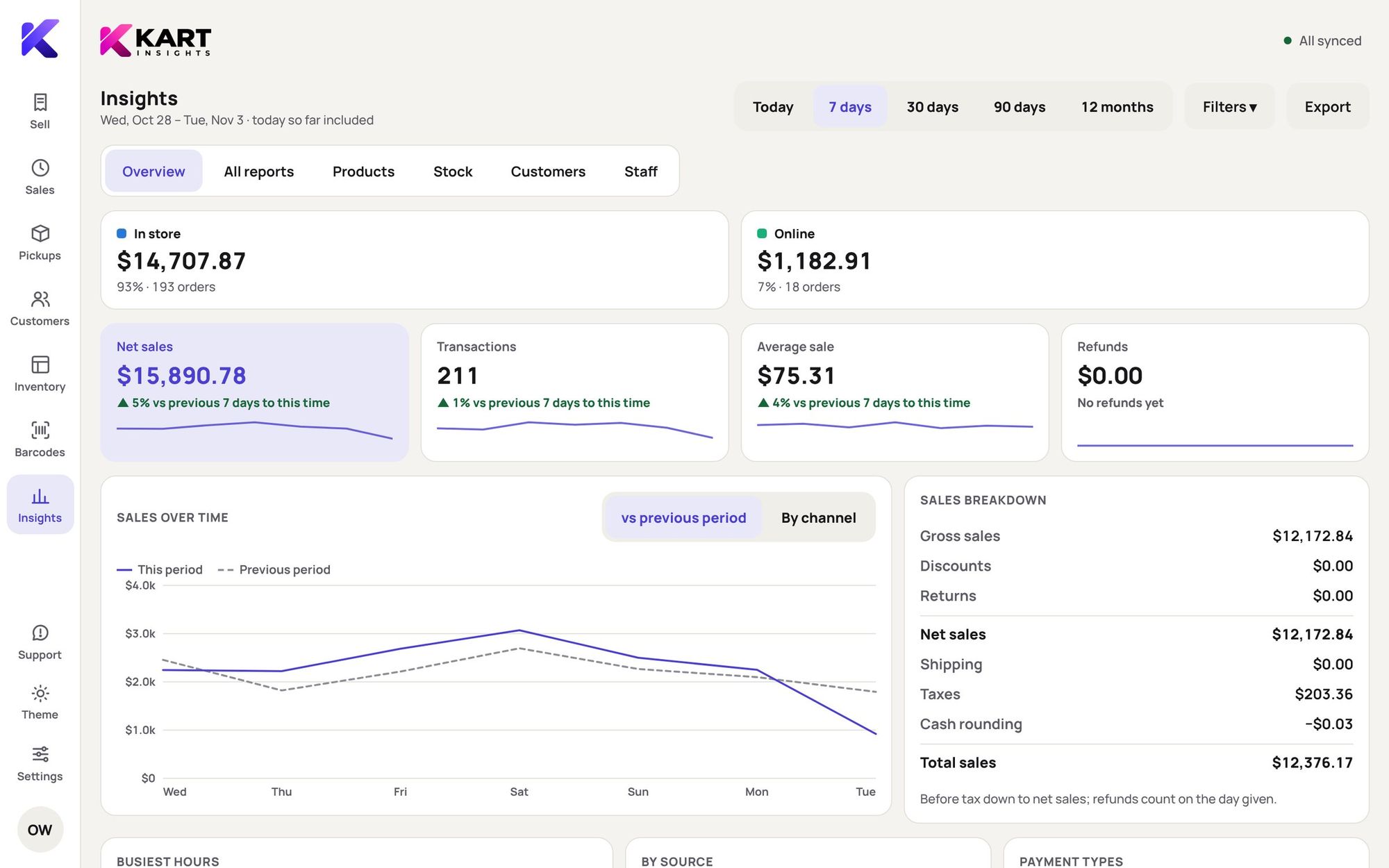
Kart Insights
Sales, products, stock, customers and staff, with in-store and online side by side. Export anything for your accountant.
- Product grades and sell-through
- Days of stock left
- Tax summary for filing
- X and Z close reports
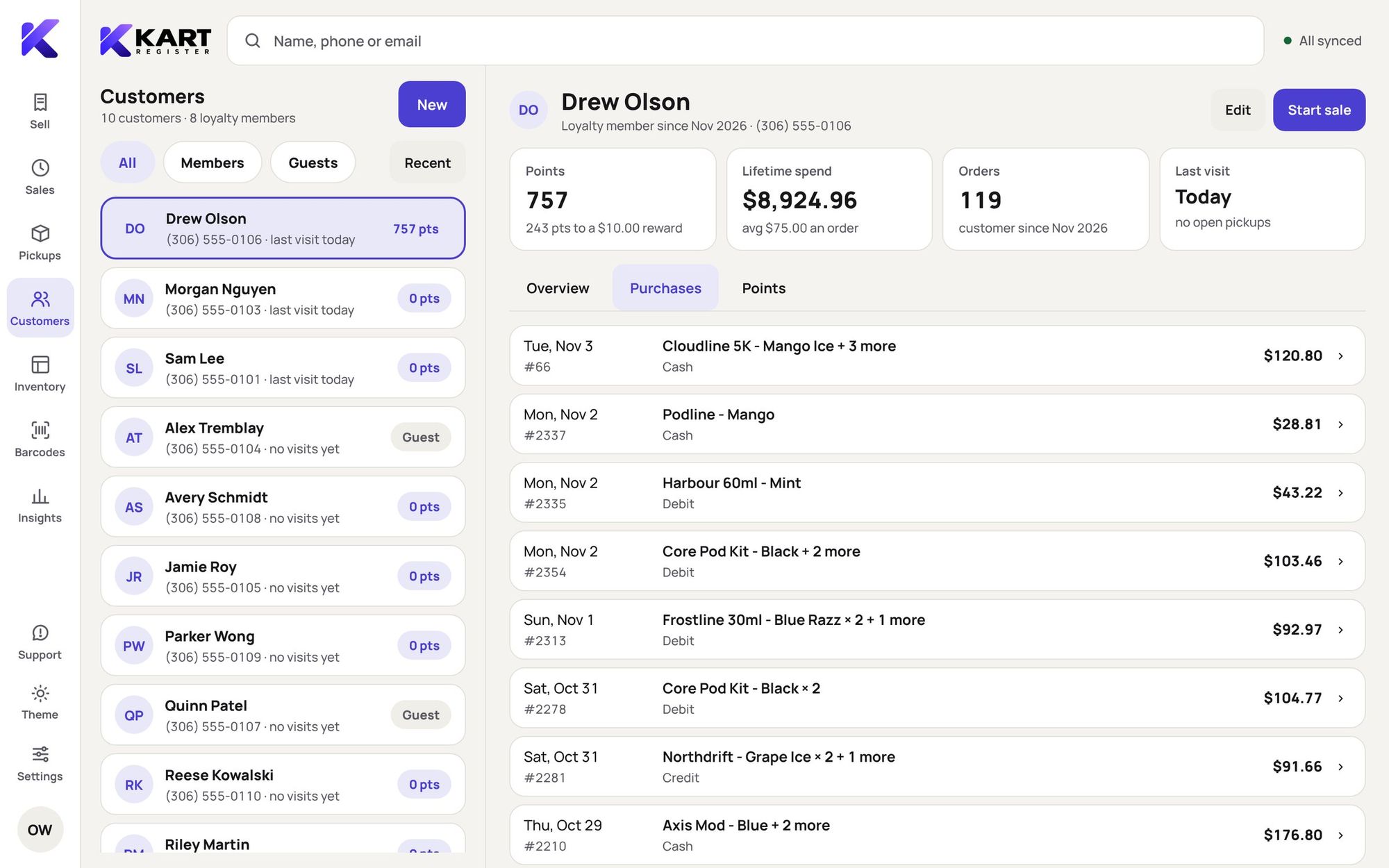
Kart Loyalty
Points online and in store in one balance, with every customer’s visits, spending, notes and favourite products on their profile.
- Automatic sign-up
- Redeem before tax
- Referrals
- Manager PIN for changes
Kart Admin
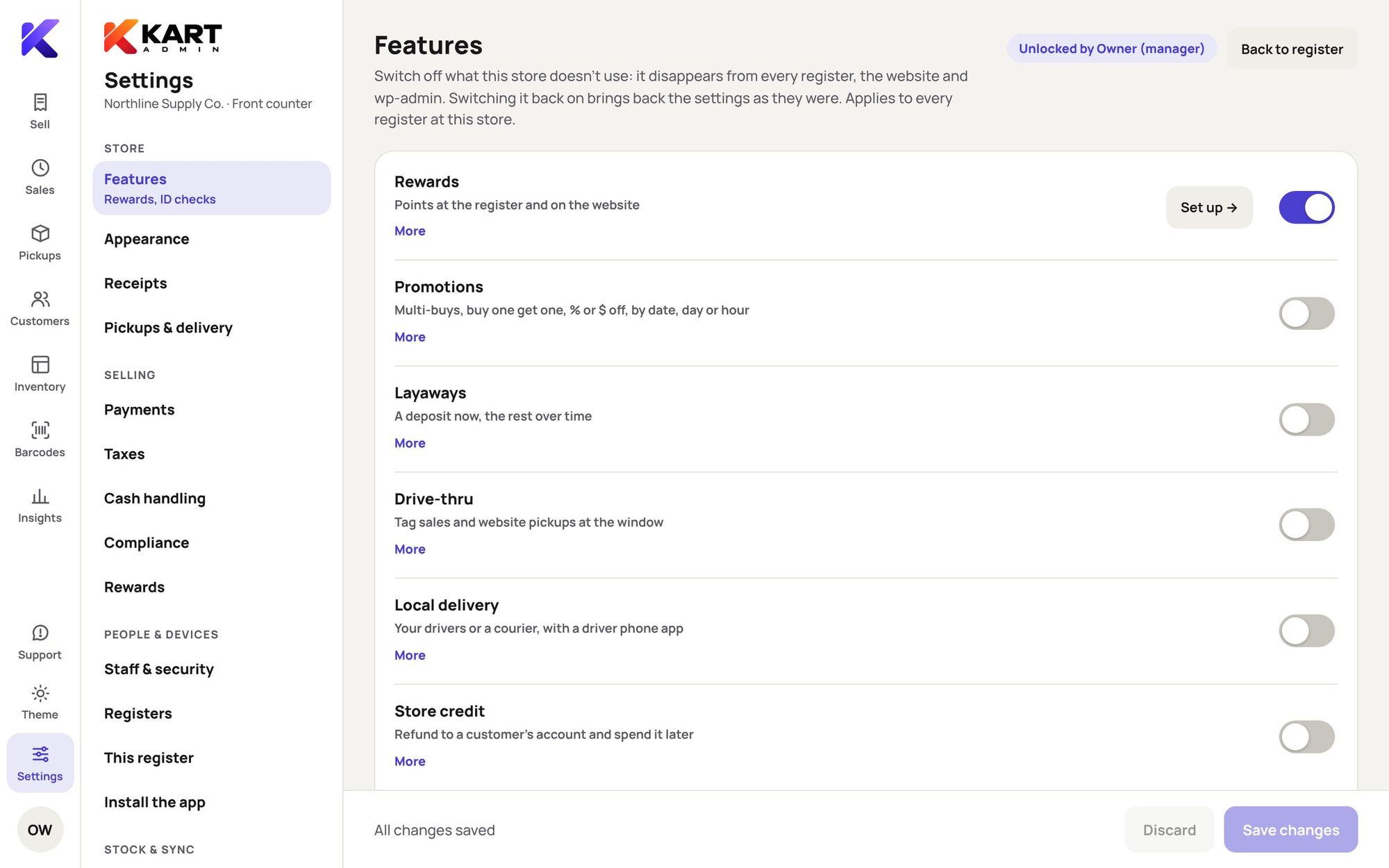
Staff, PINs, taxes, receipts, registers and features, all from the counter. The same settings open from WordPress for owners.
- Store setup checklist
- Registers at a glance
- 4- or 6-digit PINs
- Activity log
Offline mode
The Wi-Fi drops. The line doesn’t.
Every register keeps the catalogue, customers and tax rules on the device. Sales, returns, parked carts and receipts carry on, and each one goes to the store exactly once when the connection comes back.
Beyond the counter
Pickup, drive-thru and your own delivery.
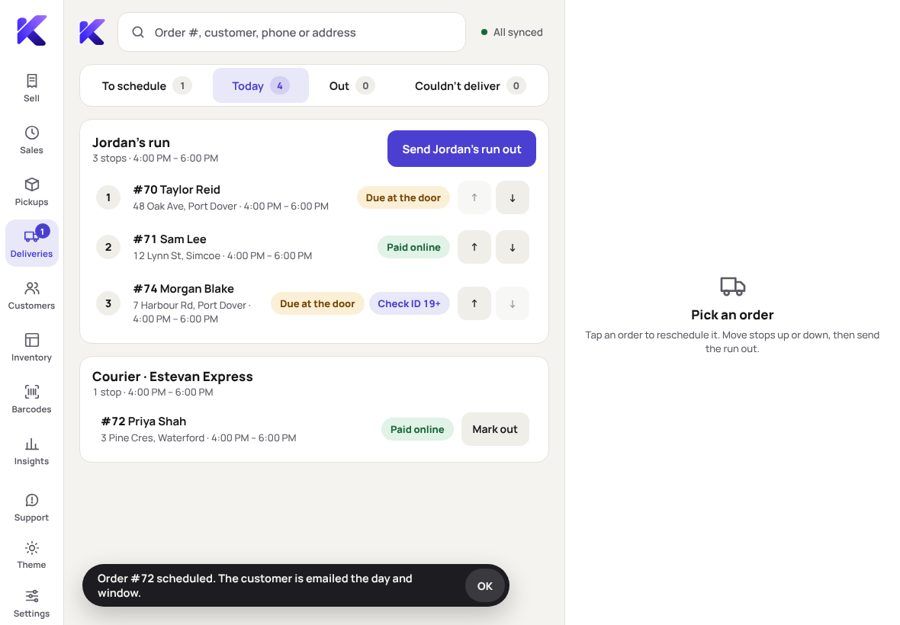
Website orders land on the register. Customers get clear emails at each step, and ID is checked at handover when the order needs it.
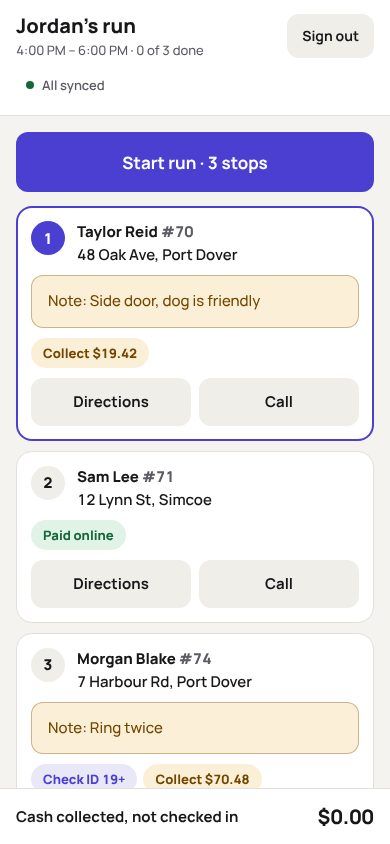
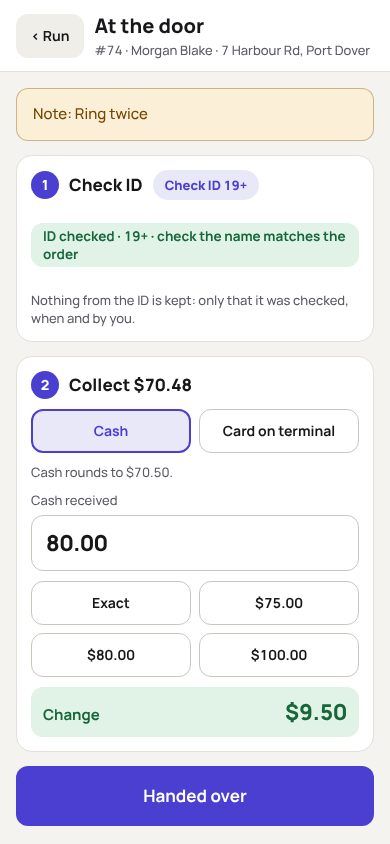
A driver mode on their own phone
Drivers sign in with a PIN, work through the run, check ID and take payment at the door. The phone can’t reach anything else.
 Kart Loyalty Included
Regulars earn everywhere they shop with you.
One points balance across your website and every register. New customers join automatically, staff find anyone by name, phone or email, and the receipt shows how close they are to the next reward.
Set up for the store you run.
Pick your store type and province at sign-up. Kart suggests ages, tax classes and restricted categories for you to confirm.
- Vape and smoke shopsVape tax, flavour rules, snacks at the same till
- Indigenous dispensariesYour nation’s rules, tax on or off, status cards
- Head shopsBarcodes for glass that never had one
- Convenience storesQuick keys, multi-buys, open-price items
- Games and collectiblesOne-offs that never oversell
- Wholesale countersPricebooks and quantity breaks per customer
Coming from Square?
Bring your customers, points and years of sales with you.
Kart keeps pulling new Square customers, points and sales while you switch, so nothing is left behind on the day you change over.
When Kart opens
From sign-up to first sale in an afternoon.
Set it up yourself, with a checklist that ticks itself off as the store really becomes ready. Stuck? The people who build Kart answer.
- 1Create your Kart accountTell us your store type and province, and how you sell online today.
- 2Install Kart on your WooCommerce siteDownload the plugin, upload it and press Connect. Updates install themselves after that.
- 3Open your register’s own addressEvery store gets yourstore.kartcommerce.ca. Pair an iPad or computer and add it to the Home Screen.
- 4Work through the store setup checklistTaxes, ID checks, receipts, staff and printer. Each item turns green when it’s really done.
- 5Practise, then make your first saleA practice sale runs the real checkout with nothing saved: no stock, no points, no reports.
Built so staff can’t wander, and owners can sleep.
Kart is a front door on top of the store you already own. Your products, customers and sales stay in your WooCommerce.
Staff never see WordPress
Registers open on their own address with a Kart sign-in. Staff use a PIN; only owners touch the website.
Paired devices only
A register only works on a device you’ve added. Remove a lost iPad and it’s wiped the next time it connects.
Manager approvals, logged
Discounts, overrides and refunds can need a manager PIN. Every one is recorded with who and why.
Signed, automatic updates
New versions install themselves, and only ones signed by us are ever accepted.
Security alerts
Repeated wrong PINs and odd sign-ins show on the dashboard and are emailed to the owner.
Report a problem, from the till
Staff send a report with a screenshot in two taps, straight to the team that builds Kart.
Bring the hardware you have.
Kart runs in the browser, upright or sideways. Add it to an iPad’s Home Screen and it opens like an app.
iPad, Mac or Windows
Day and night mode, and a built-in on-screen keyboard.
Epson receipt printers
Your logo, gift receipts, email copies, or AirPrint from an iPad.
Barcode scanners
USB or Bluetooth, licences included.
USB cash drawers
On their own cable or through the printer.
Your card terminal
Keep your processor and rates. Kart never touches the card.
Label printers
Shelf and barcode labels from Kart Barcodes.
Questions owners ask
When can I start using Kart?
Kart is in a pilot with a small number of stores right now. Join the waitlist and we’ll email you as soon as it opens to new stores.
Do I need a WooCommerce website?
Kart runs on WooCommerce, which holds your products, stock, customers and orders. No site yet? Say so when you sign up: Great White North Design sets up a private store site for Kart that can go online when you’re ready.
What happens if the internet goes down?
Keep selling. Each register works on its own and sends everything to the store once it reconnects.
Can I keep my card terminal?
Yes. Take the payment on your terminal and record it in Kart with one tap. Kart never handles card numbers.
Will Kart slow down my website?
Registers work from their own copy of the catalogue and only send changes, so shoppers on your site don’t feel the till.
Can staff open it from home?
No. Only devices you’ve paired can open your register, and staff never get a website login.
What will it cost?
Pricing isn’t final yet. It will be one price per store with every register and Kart Loyalty included, and well under what an all-in POS usually costs. Waitlist stores hear first.
Be first in line when Kart opens.
We’re piloting Kart in real stores now. Join the waitlist and we’ll email you when it’s ready for yours.